In This Guide
Lo que lo cambió todo para mí y mi pareja no fue un juguete — fue descubrir que él podía controlarlo desde 15.000 km de distancia. Para eso fue creado realmente Lovense. El hardware es bueno, pero la experiencia de control compartido es el verdadero producto. Esta guía cubre todo: cómo funciona el control de pareja técnicamente, qué juguetes son más adecuados para parejas, y ideas reales para usarlos juntos — ya sea en la misma habitación o en extremos opuestos del planeta.
How Partner Control Works
Cada juguete Lovense se conecta a la app Lovense Remote por Bluetooth. La app se conecta a los servidores de Lovense, que transmiten los comandos de tu pareja al juguete en tiempo real — menos de 200ms de latencia en la mayoría de regiones, suficientemente rápido para que se sienta inmediato. Esto es lo que la mayoría no sabe al principio: tu pareja no necesita tener un producto Lovense. Solo necesita la app gratuita en su teléfono.
📱 Free App, Full Access
Your partner downloads the Lovense Remote app (iOS or Android), creates a free account, and accepts your invite. That's it. They get full control of your toy's speed, patterns, and intensity.
🌍 Works at Any Distance
Same room, same city, or opposite sides of the planet. As long as both phones have internet, your partner can control your toy with under 200ms latency.
🔄 Sync Mode for Two Toys
If both partners own a Lovense toy, you can sync them so each toy responds to the other. The Nora + Max 2 combination is the most popular pairing for this.
🔒 You Stay in Control
You choose who gets access. You can revoke partner control at any time, set session time limits, or pause the connection whenever you want.
Step-by-Step Pairing Guide
La primera vez tarda unos 5 minutos. Después son dos toques. Hazlo antes de la noche romántica — la peor versión de esta configuración es intentar explicarla en el momento justo cuando solo quieres usarlo.
What You Need (the Wearer)
-
Download the Lovense Remote App
Search "Lovense Remote" on the App Store or Google Play. Don't download "Lovense Connect" - that's for a different purpose. Create a free account with an anonymous username.
-
Pair Your Toy via Bluetooth
Turn on your toy by pressing and holding the power button. Open the app, tap the "+" icon. Your toy will appear automatically. Keep your phone within a few feet during initial pairing.
-
Test It Locally
Before inviting your partner, make sure everything works. Slide the intensity bar, try a few preset patterns, and confirm the toy responds reliably.
-
Send Your Partner an Invite
Go to the "Long Distance" tab in the app. Tap "Add Partner" and share the generated link via text, email, or any messaging app. Your partner clicks the link to connect.
What Your Partner Needs (the Controller)
-
Download the Same App
Your partner installs Lovense Remote and creates their own free account. They do not need to buy or own any Lovense product.
-
Accept the Invite Link
When they click your shared link, the app will prompt them to add you as a partner. Once both of you confirm, you're connected.
-
Start Controlling
Your partner will see a control panel with a slider for intensity, preset patterns, and the ability to create custom vibration patterns. They can also trigger sound-activated mode or use the built-in video chat.
💡 Pro Tip: Test Before Date Night
Don't try to set everything up right when the moment strikes. Pair your devices in advance, test the connection once, and save your partner in the app. That way, when date night arrives, you just open the app and go - no troubleshooting required.
5 Ways to Control Together
Aquí es donde se pone interesante. La app no es solo un mando de "encender/apagar" — tiene varios modos de control que crean dinámicas genuinamente diferentes. La mayoría de parejas acaba eligiendo uno o dos favoritos. Pero vale la pena probarlos todos primero, porque el que mejor funciona para ti no siempre es el obvio.
1. Manual Touch Control
Your partner drags a slider or swipes the screen to control intensity in real-time. The most intuitive mode - they literally feel like they're touching you through the screen. Quick swipes create teasing pulses, while holding at high intensity builds sustained pleasure.
2. Sync Mode (Two Toys)
Connect two Lovense toys so they mirror or respond to each other. When the Nora rotates, the Max 2 contracts. When he increases speed on the Max 2, her Lush 4 intensifies. True mutual feedback across any distance.
3. Sound-Activated Mode
The toy vibrates in response to ambient sound or your partner's voice. The louder they speak, the stronger the vibration. This creates an incredible dynamic during phone calls - their moans literally become your pleasure.
4. Music Sync
Sync vibrations to music playing on your partner's phone. The toy pulses to the beat, creating a rhythm-based experience. Play the same song on both ends for a shared musical connection.
5. Custom Patterns
Your partner can draw custom vibration patterns in the app and save them. Create a signature pattern that's uniquely yours - a personalized touch your partner designed specifically for you. Over 2 million community patterns are also available.
⚠️ Sync Mode Compatibility
Not all Lovense toys sync with each other. Here are the confirmed working sync pairs:
- Nora + Max 2 - The original sync pair. Her rotation controls his contraction and vice versa.
- Lush 4 + Max 2 - Her vibrations map to his contractions.
- Any two Lovense toys - Basic pattern mirroring works between all models via the app, though the Nora + Max 2 combo offers the deepest integration.
Ready to Play Together?
Shop direct from Lovense - free worldwide shipping, discreet packaging, and 1-year warranty on all products.
Best Lovense Products for Couples
Todos los juguetes Lovense admiten control de pareja, pero algunos fueron claramente diseñados con las parejas como caso de uso principal. Estos son los que recomendaría primero — basándome en cómo funcionan realmente en escenarios compartidos, no solo sobre el papel.

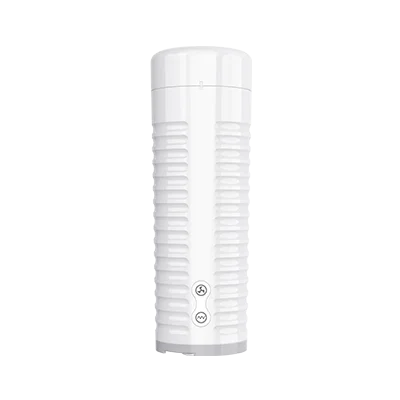
Nora + Max 2
- True sync mode - feel each other's movements
- Nora rotates, Max 2 contracts in response
- Built-in video chat during sessions
- The ultimate mutual long-distance experience
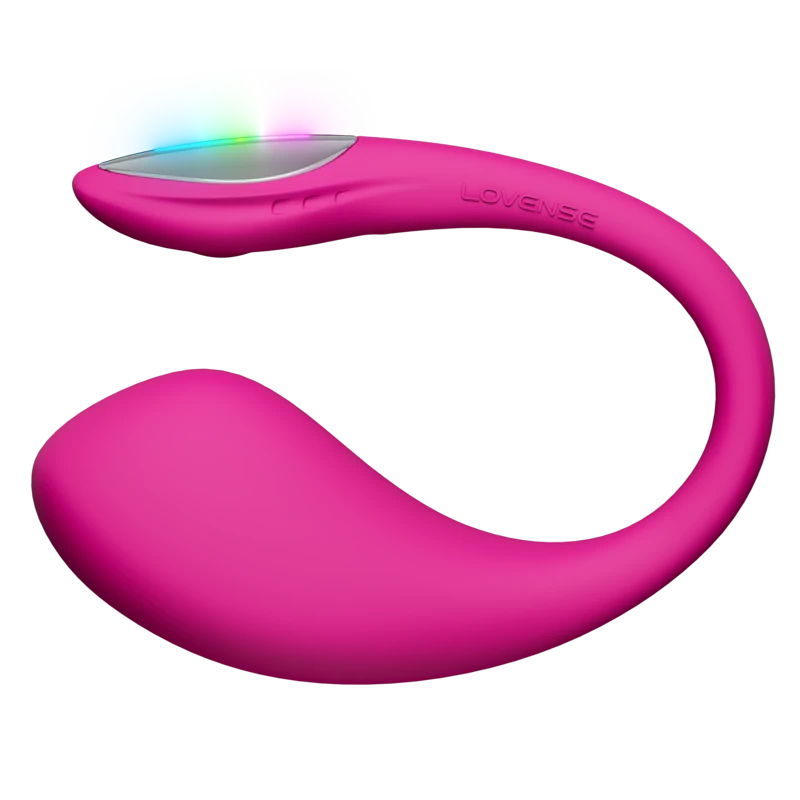
Lovense Lush 4
- Most popular partner-controlled toy
- 5+ hour battery for extended sessions
- Wearable in public for teasing play
- Bluetooth 5.0 for reliable connection

Lovense Dolce
- Designed for use during intercourse
- Dual motors stimulate both partners
- Flexible design adapts to positions
- Also works for solo play
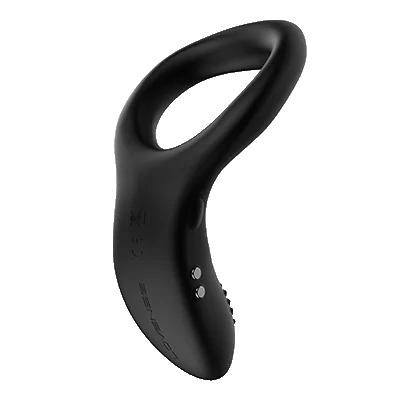
Lovense Diamo
- Vibrating cock ring for both partners
- He wears it, she feels vibrations too
- App-controlled during intimate moments
- Comfortable for extended wear
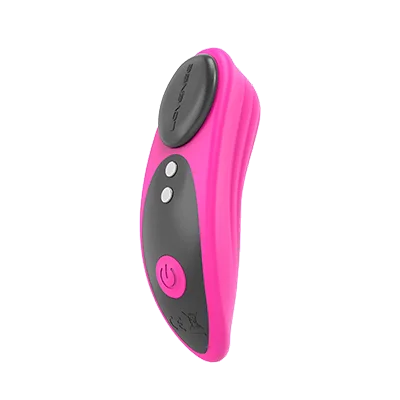
Lovense Ferri
- Clips to underwear for discreet wear
- Perfect for public teasing scenarios
- Partner controls the surprise factor
- Great entry-level couples toy
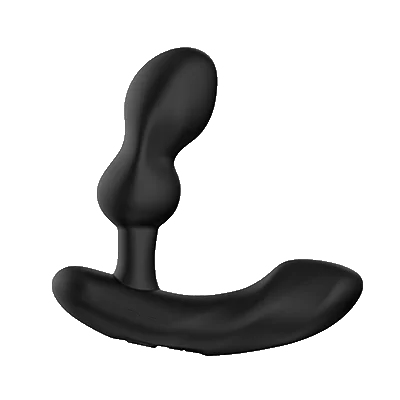
Lovense Edge 2
- Prostate massager she can control
- Adjustable for the perfect fit
- Hands-free during video calls
- Dual motors for varied sensation
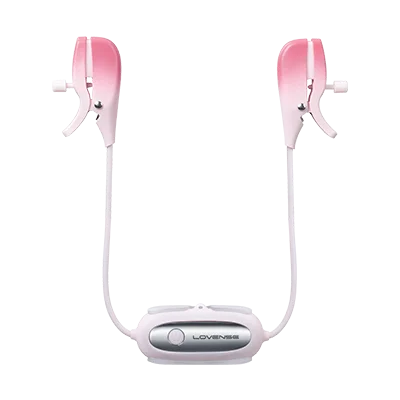
Lovense Gemini
- App-controlled vibrating nipple clamps
- Two independent motors — control each side separately
- Adjustable jaw tension + 3 wearing modes
- Perfect for power-play and long-distance teasing

Lovense Lapis
- Strapless strap-on — no harness needed
- 3 independent motors stimulate both partners simultaneously
- App-controlled with long-distance support
- Mutual pleasure in same room or across any distance
Couples Product Comparison
| Product | Best For | Sync Mode | Use Together | Couples Rating |
|---|---|---|---|---|
| Nora + Max 2 |
Long-distance mutual play | Full sync | Remote | ⭐⭐⭐⭐⭐ |
| Lush 4 |
Partner-controlled wearable | With Max 2 | Remote or in-person | ⭐⭐⭐⭐⭐ |
| Dolce |
During intercourse | No | In-person | ⭐⭐⭐⭐½ |
| Diamo |
Shared sensation ring | No | In-person | ⭐⭐⭐⭐ |
| Ferri |
Discreet public teasing | No | Remote or in-person | ⭐⭐⭐⭐ |
| Edge 2 |
Partner-controlled prostate | No | Remote or in-person | ⭐⭐⭐⭐ |
Creative Couples Scenarios
La configuración es la parte fácil. La pregunta interesante es qué haces realmente con ella. Aquí hay ideas que aparecen constantemente en comunidades LDR y de lectoras — las que la gente sigue usando porque realmente funcionan, no solo porque suenan bien.
🎲 Control Swap Game
Take turns controlling each other's toy in 5-minute intervals. The rule: you can't use the same pattern twice. Forces creativity and builds anticipation for what's coming next.
🤫 Secret Public Tease
One partner wears a Lush 4 or Ferri during a date night out. The other has the app ready. Random bursts of vibration during dinner, at the movies, or walking through a park. The challenge: keep a straight face.
🎵 Shared Playlist Session
Create a playlist together, then sync a Lovense toy to the music. Both listen to the same songs while the vibrations follow the beat. Start with slow songs and build to something more intense.
📹 Video Call Date Night
Set up a video call, pour some wine, and take turns controlling each other's toy while you talk. The visual connection combined with physical sensation makes this feel incredibly intimate, even across oceans.
🎁 Wake-Up Surprise
If you're in different time zones, send a gentle vibration when your partner's alarm goes off. Start at the lowest setting and slowly build. It's a way of saying "good morning" that they won't forget.
🔥 Foreplay Enhancement
Use a Dolce or Diamo during foreplay, with one partner controlling the vibrations through the app. It adds a layer of stimulation for both partners and takes the guesswork out of pacing - the app handles the rhythm.
📖 Story Time
One partner reads an erotic story out loud (or from an app) while the other controls the toy to match the intensity of what's being described. Slow burn scenes get gentle pulsing; climactic moments get full power.
Video Call Tips
Using Lovense during video calls is one of the most common couples scenarios. Here's how to get the best experience.
📱 Use Any Video App
Lovense runs independently via Bluetooth, so it works alongside Zoom, FaceTime, WhatsApp, Skype, or any video platform. Alternatively, Lovense has its own built-in encrypted video chat.
🔊 Mind the Noise
Higher vibration settings can be audible through your microphone. If discretion matters, use headphones (they reduce mic pickup) or stick to low-to-medium intensity during conversation.
📶 Stable WiFi is Essential
Video + Lovense app + Bluetooth all running simultaneously needs solid internet. Use WiFi instead of cellular data when possible. Close unnecessary apps to reduce Bluetooth interference.
🔋 Charge Before Sessions
Nothing kills the mood like a dead battery. The Lush 4 lasts 5+ hours, but the Max 2 only does about 1.5 hours. Always start with a full charge for uninterrupted sessions.
💡 Pro Tip: Split Screen
On most phones, you can run the video call and Lovense app in split-screen mode. This lets the controlling partner see their partner's face while adjusting the toy without switching apps back and forth.
Privacy & Safety
Sharing intimate experiences digitally raises valid privacy concerns. Here's what Lovense does to protect your data.
🔐 End-to-End Encryption
All communications between partners - including video chat, text messages, and toy commands - are encrypted end-to-end. Even Lovense can't see your session data.
🚫 No Data Storage
Video calls, audio, and session activity are never recorded or stored on Lovense servers. When the session ends, the data is gone.
👤 Anonymous Accounts
You create your account with a username - no real name, phone number, or social media linking required. Your identity stays anonymous.
🔄 Instant Access Revocation
If a relationship changes, you can remove a partner's access instantly from the app settings. They immediately lose all control and can't reconnect without a new invitation.
⚠️ Safety Reminders
- Only share control with people you trust completely
- Use the built-in Lovense video chat for encrypted conversations rather than third-party apps if privacy is a concern
- Review your connected partners list periodically and remove anyone who should no longer have access
- Keep the Lovense app updated for the latest security patches
Why Couples Choose Lovense Over Other Brands
Most sex toy brands make products for solo use. Lovense built their entire product line around two people — whether in the same room or 15,000km apart. The Nora + Max 2 bidirectional sync, the internet LDR infrastructure, the cross-toy response system: these are all designed for couples, not added as features.
I've used Lovense toys with my partner through 18 months of long-distance (Stockholm to Melbourne) and since moving closer. The same toys that worked across continents work in the same city. That versatility — LDR and in-person — is what makes Lovense specifically valuable for couples.
LDR Setup: Complete Guide for Couples
Step 1: Both download Lovense Remote
The free app is on iOS and Android. Both partners create accounts — takes 90 seconds each. The toy owner pairs their toy through the app (Bluetooth, under 30 seconds). The non-toy partner only needs the app installed.
Step 2: Generate and share a control link
In the app: your toy → share icon → Share Control → set time limit → copy link → send to partner via any messaging app. Your partner opens the link. They now have full toy control from anywhere in the world.
Step 3: The Nora + Max 2 bidirectional sync (if both have toys)
This is the gold standard LDR couple setup. When both toys are linked through Lovense Remote, her Nora's rotation speed drives his Max 2's contraction intensity — and vice versa. Both partners feel each other's physical engagement in real time across any distance. Setup takes 5 minutes: both create accounts, link toys via the Sync feature, done.
At $188 total (Nora $99 + Max 2 $89), this is the most cost-effective bidirectional LDR couple setup available. No competitor offers equivalent cross-toy real-time sync.
Same-Room Couple Play
Lush 4 for her, controlled by him
She wears the Lush 4 and goes about normal evening activities. He has the control link on his phone. He sends vibration bursts randomly throughout the evening. The unpredictability — not knowing when the next burst will come or for how long — creates anticipation that sustained vibration doesn't. Many couples use this as foreplay before a date night.
Ferri for dinner/public discreet play
The Ferri's fully hidden magnetic design makes it the standard choice for couples wanting play in semi-public settings. No visible components, 4.1/5 quiet rating (inaudible in a restaurant), and full remote control from a partner's phone at the same table or across a city.
Gemini couples vibrator
The Gemini is a vibrating nipple clamp stimulator — dual app-controlled motors that attach to the nipples. Both clamps are independently controlled through Lovense Remote. It's a complement to genital toys rather than a replacement, adding nipple stimulation as an additional layer.
10 Creative Couple Ideas with Lovense
- The daily burst: One partner controls the toy for unexpected 10-second bursts throughout the partner's workday. Creates anticipation all day.
- Music sync date night: Both partners stream the same playlist. The toy vibrates to the beat. Shared sensory experience across distance.
- Movie night LDR: Sync your streaming (use a countdown), she wears Lush 4, he controls randomly during tense or romantic scenes.
- Custom signature pattern: Build a vibration pattern in the app that only you two know. Use it as a "thinking of you" signal during the day.
- Sound activation video call: Enable sound activation mode. Whenever one partner speaks or laughs during a call, the other feels it.
- Nora + Max 2 sync sessions: Both wear their toys and let the bidirectional sync respond to each other's engagement. No manual control needed.
- Escalation game: Start both at intensity level 1. Take turns increasing by 1. See who breaks first.
- Partner patterns: Each partner creates a custom pattern named after themselves. Trade control links and use each other's patterns.
- Scheduled morning session: Set a timed pattern for when your partner wakes up (app has scheduling). They wake up to a surprise.
- Virtual date night agenda: Video call + toy on agenda. Create a structured 2-hour date with defined escalation milestones.
Top Picks for Every Couple Scenario
Best for LDR (long distance)
Lush 4 + Max 2 combination ($218 total). The Nora + Max 2 is the best bidirectional LDR setup, but if she already has the Lush 4, adding Max 2 for him creates a highly effective LDR couple setup without the rabbit's positioning requirements.
Best for same-room discreet play
Ferri ($89). Fully hidden, quiet, same-room Bluetooth or internet LDR both supported. For couples who want play outside the bedroom.
Best budget couple start
Lush 3 ($99). Same LDR features as Lush 4 at $30 less. Strong 9.0/10 rating. Perfect first couple toy before investing in Lush 4.
More Questions
Can both partners control the toy at the same time?
Yes — the Lovense Remote app allows simultaneous control. The toy owner and the remote partner can both adjust intensity at the same time. Many couples do a hybrid: owner sets a base level, partner adjusts up or down from there.
What if we're in different time zones?
Time zone gap is the main practical LDR challenge. Establish your overlap window before sessions — even 30 minutes of mutual availability is enough for meaningful connection. Many couples in 8-10 hour time zone gaps make early morning for one partner work.
Does Lovense work with couples therapy apps?
Lovense focuses on their own ecosystem rather than integration with therapy platforms. Some couples use Lovense alongside telehealth intimacy therapy sessions as a practical tool, but there's no official integration.
Can I use two Lovense toys simultaneously as a solo user?
Yes — Lovense Remote controls multiple toys at once. Running a Lush 4 internally and a Ferri externally simultaneously, for example, is a common setup. Both controlled from one app interface.
Not sure which Lovense is right for you?
Answer 5 questions — get a personalised recommendation in 2 minutes.
Take the Quiz →LDR Scenarios and Solutions
Different time zones (8+ hours apart)
Schedule sessions like date nights. With 8-10 hour gaps, synchronous sessions require planning. Most couples find early morning for one partner + late evening for the other is the most sustainable window. Establish it as a weekly routine rather than ad-hoc. The Nora + Max 2 can also be used asynchronously — she sets a pattern and he controls it when his window opens.
Bad internet on one side
Use preset patterns + LDR backup mode. Pre-program vibration patterns in the app before the session. If the LDR connection drops, the toy continues its last pattern until reconnected. WiFi is more stable than mobile data; both partners should use home WiFi when possible.
First time trying LDR together
Start with Lush 4 solo, add Max 2 later. Don't immediately buy both toys. Start with the Lush 4 for her — she wears it, he has the control link. After 2-3 sessions, assess whether both partners want bidirectional involvement. Many couples stop here and find it completely satisfying without Max 2.
Visiting soon, want to maximize the reunion
Use toys to build anticipation beforehand. The week before a visit is the best time for sustained LDR sessions. Anticipation built through app-controlled sessions before a reunion consistently improves the experience of in-person time.
Advanced Same-Room Techniques
The evening playlist
Both partners create a playlist in the Lovense app's music sync mode. Synced to the same music — one partner controls, the toy vibrates to the beat. For a couple sharing headphones and phone control, it creates a fully shared sensory experience from separate physical spaces.
The surprise day
She wears the Lush 4 to work. He has open control access all day but only uses it at unexpected moments — during a meeting she mentioned, at lunch, right before she's about to present something. The knowledge that a surprise could come any time creates sustained awareness throughout the day.
The escalation date
Start at intensity level 1 at dinner. Increase by one level every 30 minutes. By the end of a 3-hour dinner date, you're at level 7-8. A structured escalation creates sustained arousal that makes the evening's culmination considerably more charged.
What LDR Couples Report
From r/LDR community discussions: the Nora + Max 2 setup is the most frequently cited tool for maintaining physical intimacy in long-distance relationships. "The bidirectional sync changes everything — it's not just one person controlling the other, it's an actual physical conversation across distance."
"We've been long-distance for 2 years. The Nora + Max 2 was the best investment we've made in our relationship. Genuinely."
Same-room couples report that the app adds spontaneity that fades in long-term relationships: "Having an app removes the 'asking' — he just turns it on when he feels like it. It changed the dynamic completely."
Can we use Lovense during video sex?
Yes — many couples run Lovense Remote on one device while video calling on another. The Lovense app also has a built-in video call feature. Either approach works; dedicated devices prevent resource conflict.
What if we both want simultaneous control?
Both toy owner and remote partner can control the toy simultaneously. The app supports this — whoever moves the slider most recently takes precedence, but both can interact at the same time.
Do we need to be on the same Lovense account?
No — each person has their own account. The toy owner's account is linked to the toy; the controlling partner gets a share link that doesn't require an account for basic control.
Troubleshooting LDR Sessions
Connection drops mid-session
The toy holds its last intensity setting when connection drops — it doesn't suddenly stop. Reconnect by refreshing the control link in the app. If repeated drops are happening, both partners should switch to home WiFi (if on mobile data).
High latency / lag
Both partners need stable internet. WiFi consistently outperforms mobile data for LDR latency. If your partner has consistently poor connection, pre-programmed patterns are more reliable than real-time slider control — the toy runs the pattern locally without needing constant connection.
First session nervousness
Normal. Start with a pre-call to discuss what you'll try. Low-pressure first sessions — 20 minutes, start at low intensity, communicate openly throughout. The technology won't be perfect on the first try. After 2-3 sessions, most couples find a rhythm.
Can we use Lovense while in different countries with different app versions?
Yes — Lovense Remote is available globally on iOS and Android. The app version is the same everywhere. LDR works internationally regardless of which country each partner is in, as long as both have internet.
What if one partner isn't tech-savvy?
The controlling partner's interface is very simple: a slider and some pattern buttons. Non-tech-savvy partners consistently manage it with 5 minutes of instruction. The toy owner's setup (pairing, share link generation) is slightly more involved but also straightforward with the in-app instructions.
Not sure which Lovense is right for you?
Answer 5 questions — personalised recommendation in 2 minutes.
Take the Quiz →What the Community Says
"The Nora + Max 2 combination changed our long-distance relationship. We use it 3-4 times per week."
"We've been together 8 years and Lovense genuinely added something new. The surprise element via app is what surprised me most."
"Setup was 5 minutes. My partner in Canada had full control within 10 minutes of unboxing."
More Questions Answered
Can we use Lovense without telling each other when?
Yes — many couples give open control access. The partner can send vibration bursts anytime during an agreed window (e.g., during working hours). The unpredictability is intentionally part of the experience for many couples.
What if one partner isn't interested in toys?
Starting with one toy (the partner who is interested wears it, the other has the control) is a lower-pressure introduction than buying for both simultaneously. The controlling partner doesn't need their own toy — just the free app.
How long do couples typically use Lovense?
Community data suggests regular LDR couples use it for years — through the full duration of long-distance periods. Same-room couples use it less frequently but often keep it as a regular element of their intimacy toolkit.
Not sure which Lovense is right for you?
Answer 5 questions — personalised recommendation in 2 minutes.
Take the Quiz →Maintaining Couple Play Long-Term
Novelty fades with any toy over time. Strategies that keep Lovense play fresh in long-term couples:
- Introduce pattern challenges: 'you can't increase it past 5 until I say' — game structure creates engagement.
- Rotate who controls: alternate who wears and who controls each session.
- Try new settings: explore music sync and sound activation modes you haven't used.
- Create session rituals: a pre-session video call to set expectations, a post-session debrief.
- Seasonal 'resets': try one new feature every 2-3 months to avoid habituation to any single mode.
Communication Makes It Better
Lovense is a physical tool, but the communication around it determines whether it deepens intimacy or becomes mechanical. Couples who use it most effectively establish:
Safe word / signal for 'stop now': A word or phone signal that means 'turn the toy off immediately, no questions.' Essential for trust, rarely used, always available.
Check-ins: 'How's the intensity?' via text during remote sessions. The controlling partner can't feel what the toy owner feels — feedback is important.
Post-session honesty: 'That pattern didn't work for me' after the session, not during, if it's disruptive to the experience. Good feedback improves future sessions.
Is it normal to feel embarrassed about using LDR toys?
Yes, initially. Many users report the first session feels awkward — you're doing something new and technology-mediated. By the 2nd-3rd session, the awkwardness is typically replaced by familiarity. Give it more than one try.
What if the LDR toy makes us feel more disconnected instead of connected?
Some couples find that technology-mediated intimacy highlights distance rather than bridging it. This varies significantly by couple. If LDR sessions consistently feel worse than video calls alone, the toys may not be right for your specific dynamic. There's no obligation to use them if they don't work for you.
Timing and Session Management
Practical time management for LDR couples is one of the most underrated aspects of Lovense use. Sessions require overlap windows — finding them and protecting them is the work.
Finding overlap windows
For couples 6-8 hours apart: 9 PM in one timezone = 3-5 AM in the other — not sustainable daily. 7 PM for the earlier timezone = 1 AM for the later — workable 1-2x per week. 10 AM weekend for one = 4-6 PM for the other — sustainable weekly ritual.
Short sessions vs marathon sessions
Many couples default to trying for long 45-90 minute sessions and then cancelling when life gets in the way. Short sessions (15-20 minutes, 2-3x per week) are more sustainable than marathon sessions that require perfect scheduling. The Lush 4's rapid charge means a brief session is easy to fit around real life.
Lovense Across Different Relationship Structures
Monogamous LDR couples
The primary use case Lovense was built for. All features optimised for this scenario. The Nora + Max 2 bidirectional sync creates the most complete LDR intimacy experience available.
Open relationships / polyamory
Fan control links can be shared with multiple partners (one active at a time). Lovense Remote allows multiple Lovense accounts to link with a single toy — the toy owner controls who has access and when via link management.
Non-penetrative couples
Ferri, Ambi, Domi 2 are external-only — no insertion required for partner-controlled play. Many couples use Lovense exclusively for external stimulation. LDR partner control works identically for external toys.
Is Lovense use common in long-term marriages?
Yes — many couples in long-term marriages use Lovense when one partner travels for work, even for short trips. The app enables intimacy during separations that otherwise would be just phone calls.
Can we use Lovense as part of couple's therapy?
Some sex-positive therapists recommend app-controlled toys as practical exercises in consent, communication about preferences, and maintaining physical intimacy during treatment. Discuss with your therapist if this context is relevant.
Frequently Asked Questions
Explore Lovense Together
Whether you're starting with one toy or going all-in with a sync pair, every Lovense product comes with free worldwide shipping and a 1-year warranty.
Top Couples Products - Shop Direct
All products include 1-year warranty and work with the free Lovense Remote app.
Related Guides
💕 Long-Distance Intimacy Guide
Best Lovense products for LDR couples, setup tips, and creative date ideas for staying connected across distances.
📚 Beginner's Guide to Lovense
New to app-controlled toys? Start here for setup basics, app walkthrough, and first-time tips.
🎯 How to Choose the Right Toy
Interactive quiz and detailed guide to find your perfect match from the full Lovense lineup.
Not sure which Lovense toy is right for you?
Take the 60-Second Quiz
5 quick questions. Instant personalized recommendation.
Find My Perfect Lovense Toy →
I started Pleasure Vibe Reviews after going long-distance with my partner — Sweden to Australia, 15,000km apart. Lovense became essential to our relationship, and I couldn't find reviews that actually answered the questions I had. I research every product thoroughly: manufacturer specs, verified buyer reviews on Reddit, and community feedback — including the things brands don't put in their marketing copy. More about me →
Looking for full side-by-side spec comparisons?