In This Guide
The Lovense Remote app is the software platform that powers every Lovense toy. It's free, it has no subscription, and it works on both iOS and Android. Whether you're using your toy solo with Bluetooth or handing control to a partner 10,000km away, everything goes through this app. This guide explains how it all works — step by step.
What Is the Lovense Remote App?
The Lovense Remote app is a free iOS and Android application that controls all Lovense toys. It works over Bluetooth for local use (within ~10m), and over the internet for remote partner control from anywhere in the world. No subscription required — ever. All features are included at no charge.
What It Does
- Controls vibration intensity (manual slider)
- Plays preset or custom vibration patterns
- Syncs vibration to music (beat detection)
- Responds to ambient sound or voice
- Lets a partner control your toy remotely
- Provides built-in video chat and messaging
- Syncs two toys together (Nora + Max 2)
- Integrates with cam platforms (Chaturbate etc.)
Download & Account
- Search "Lovense Remote" on App Store or Google Play
- Free to download, always
- Account optional for local Bluetooth use
- Account required for remote/internet features
- No personal details required beyond email
- Available in 150+ countries
First Setup: Connecting Your Toy
Pairing your Lovense toy takes about 60 seconds on the first attempt. Here's the exact process:
- Enable Bluetooth on your phone and make sure location permissions are granted (Android requires this for Bluetooth scanning).
- Open the Lovense Remote app and tap the + button to add a new toy.
- Put your toy in pairing mode — hold the power button for 3 seconds until the LED flashes rapidly. Each model has slightly different button behavior; check the quick-start guide if unsure.
- Select your toy when it appears in the scan results.
- Done. The toy appears in your app with a live control interface.
- Toy not appearing in scan → charge the toy fully first, then retry
- Android not finding toy → ensure location permission is granted to the app
- iOS connection dropping → toggle Bluetooth off and back on
- Toy previously paired to another phone → hold power button 8+ seconds to factory reset
Control Modes Explained
Once connected, you have five control modes to choose from:
Drag a slider to set vibration intensity in real time. Simple, intuitive, and gives you direct control. The first screen you see when a toy connects.
Choose from preset or custom vibration sequences that play automatically. Preset patterns include pulse, wave, fireworks, and more. You can also create entirely custom patterns (see below) or download from the community library.
The app listens through your phone's microphone and converts audio beats into vibration intensity in real time. Works with any music, podcast, or ambient sound playing from any source. Adjustable sensitivity.
The toy responds to ambient noise or voice commands picked up by the microphone. Louder sound = stronger vibration. Useful for interactive scenarios or public play where the environment triggers the toy.
Schedule the toy to activate at a specific time with a selected intensity and pattern. A genuinely useful feature for surprises and planned sessions.
Creating Custom Patterns
This is one of Lovense's most powerful differentiators. The pattern editor lets you draw a vibration sequence manually:
- Go to Pattern mode and tap Create
- Draw the intensity curve over a timeline — tap and drag to set the vibration level at each moment
- Set the loop length (patterns repeat automatically)
- Save and name your pattern — it stays in your library permanently
Alternatively, browse the community pattern library — over 2 million user-created patterns organized by toy model, mood, and popularity. Download any pattern in one tap. This library is a major differentiator: no other brand in this space has anything comparable in scale.
Partner Control: How Remote Play Works
Remote partner control is the feature most Lovense users care about. Here's exactly how it works:
- Person wearing the toy taps Partner Control in the app and shares their connection code (or sends a partner request by username)
- Partner enters the code or accepts the request — they now see a control panel for your toy in their app
- Partner controls the toy from anywhere in the world over Wi-Fi or mobile data. Latency is typically under 200ms.
- Permission limits: the person wearing the toy can cap maximum intensity, revoke access instantly at any time, or block specific modes
Built-in video chat and text messaging mean you don't need to switch to Zoom or WhatsApp mid-session. Everything is in one app, encrypted end-to-end.
Want to Experience This?
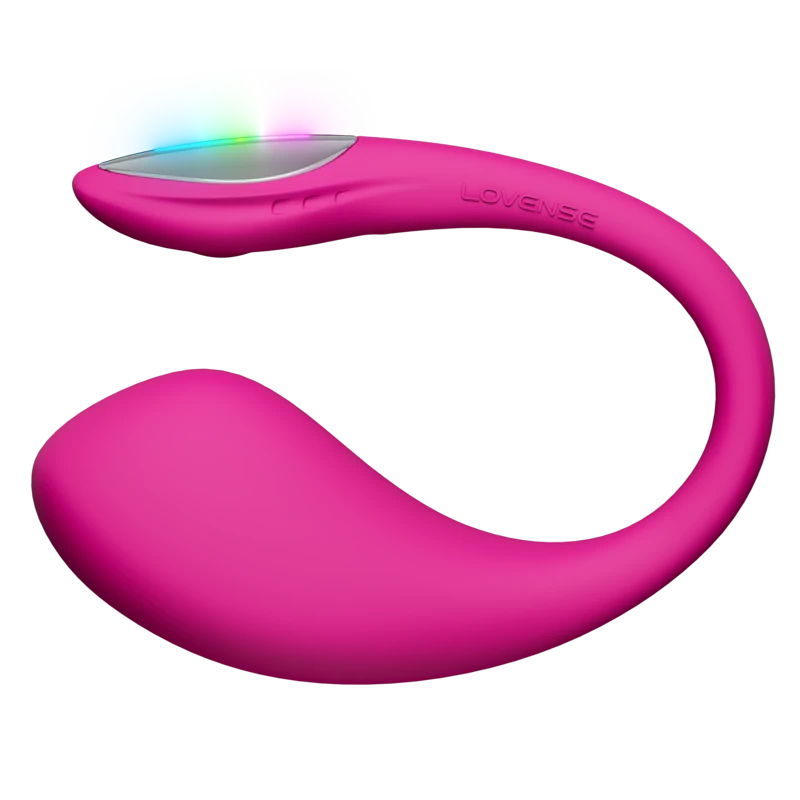
The Lush 4 is the most popular wearable for remote play — worn internally with a discreet tail, controlled from anywhere in the world.
Get Lush 4 — $129Nora + Max 2 Sync: Movement Mirroring
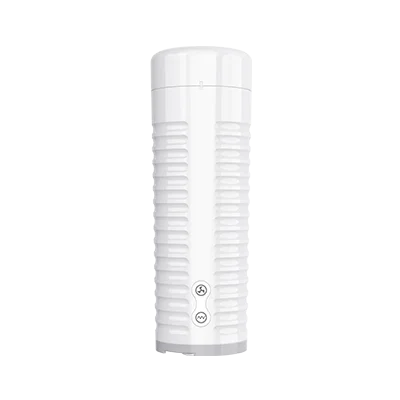
This is a unique Lovense feature with no equivalent in other brands. When a partner uses the Nora (rotating rabbit vibrator) and you use the Max 2 (contracting masturbator), the two toys mirror each other's movements in real time:
- Nora's rotation speed triggers Max 2 contraction speed
- Max 2 contractions trigger Nora vibration intensity
- Works over the internet at any distance
- Each person can also control their own toy independently
For couples in long-distance relationships, this is the closest current technology gets to shared physical sensation.

Music Sync Explained
Music sync mode listens through your phone's microphone and converts audio amplitude into vibration intensity in real time. The stronger the beat, the stronger the vibration.
It works with any audio source — music playing from speakers, headphones audio if your phone can detect it through the mic, podcasts, ambient noise from your environment. Sensitivity is adjustable: if the toy is vibrating too weakly or too aggressively for the music you're playing, slide the sensitivity dial up or down.
Popular uses: syncing to bass-heavy music for concerts or dancing; setting a playlist for a session where the music itself controls the pace; letting a partner play music that controls your toy remotely.
Cam Model & Content Creator Features
This section is only relevant if you stream on adult cam platforms. If you don't, skip it.
The Lovense browser extension connects your toy directly to Chaturbate, ManyVids, Stripchat, and other platforms. When a viewer tips a token amount, your toy vibrates at a preset intensity. You configure which tip amounts trigger which vibration patterns. This integration happens automatically — no manual input needed during streams.
Lovense also has an open API for developers who want to build custom integrations, and a dedicated "Cam Model" section in the app for managing stream-specific settings. This ecosystem has made Lovense the dominant brand on cam platforms globally.
Privacy & Security
Common concerns answered directly:
- All remote connections are encrypted. End-to-end encryption for partner control sessions and video chat.
- Lovense does not sell user data. Their privacy policy explicitly states data is not sold to third parties.
- No account needed for local use. You can use any Lovense toy via Bluetooth without creating an account. An account is only required for internet/remote features.
- Toy IDs are not linked to identity unless you create an account. Anonymous local use is fully supported.
- Partner access requires explicit consent. Nobody can access your toy without you sharing a code or accepting a request. You can revoke access instantly.
Common Issues & Fixes
Toggle Bluetooth off and back on. Close and reopen the app. If still not found: hold toy power button 8 seconds to factory reset, then re-pair.
Both phones need a stable internet connection. Check both devices. Switch from Wi-Fi to mobile data or vice versa. The toy is still connected to the local phone via Bluetooth — only the remote link dropped.
Force close the app and reopen. If a downloaded community pattern behaves oddly, delete it and re-download.
Switch both phones to a faster network. Lovense uses distributed servers — if one region's server is slow, the app can sometimes route through a further node. Usually resolves by reconnecting.
iOS requires Bluetooth permission and sometimes notification permission for the alarm feature. Android requires location permission for Bluetooth scanning (this is an Android OS requirement, not Lovense). Both platforms get identical app features.
For hardware issues (toy not turning on, charging problems), see the Lovense Troubleshooting Guide.
Ready to Try Lovense?
Every Lovense toy comes with the full app — partner control, custom patterns, music sync, video chat — included free. Ships worldwide in discreet packaging.
Complete Feature List: Lovense Remote
Lovense Remote has more features than most users discover in their first month. Here is the complete list:
| Feature | What It Does | LDR? |
|---|---|---|
| Intensity Slider | Continuous 0-20 level control | ✓ |
| Preset Patterns | 10+ built-in patterns, adjustable intensity | ✓ |
| Custom Pattern Editor | Draw your own vibration timeline, save and share | ✓ |
| Share Control (LDR) | Timed link for partner to control from anywhere | ✓ |
| Couple Sync | Nora + Max 2 bidirectional real-time sync | ✓ |
| Music Sync | Toy vibrates to audio beat | Local only |
| Sound Activation | Toy responds to ambient sound/voice | Local only |
| SenseMotion | Phone tilt controls intensity | ✓ |
| Multi-Toy Control | Control up to 10 toys simultaneously | ✓ |
| Chaturbate Integration | Viewer tips auto-trigger toy | Via platform |
| Built-in Video Call | Video call + toy control in one app | ✓ |
Advanced Pattern Creation Guide
The custom pattern timeline editor is the most underused powerful feature in the app. Here's how to use it effectively:
- Navigate to your toy → Patterns tab → "+" to create new.
- You see a timeline (typically 10-30 seconds). Tap to add intensity points — each tap creates a vibration peak at that moment.
- Drag peaks up for higher intensity, down for lower. Hold and drag left/right to move timing.
- Create an "escalation curve": a series of points starting low-left and rising toward the right edge. The pattern loops, creating sustained buildup.
- Name it something descriptive. Name appears in the Chaturbate tip menu.
- Save and add to your pattern library. Share with a partner by long-pressing the pattern.
Popular custom patterns: the slow build (15-second gradual escalation from 20% to 80%, then hold), the pulse train (rapid alternating 0-80% every 2 seconds), the plateau (steady 60% for 20 seconds, spike to 100% for 3 seconds, return).
Privacy and Security
Lovense Remote requires an account for LDR features. For local Bluetooth use only, no account is needed. The company complies with GDPR. Control links expire after the time limit you set. You can revoke control at any time from the app. No permanent access persists after a link expires.
The toy communicates with Lovense's servers, which relay commands to the controlling device. Commands are not stored. Toy usage data is not shared or published. Standard security practices apply: use a unique password for your Lovense account.
Not sure which Lovense is right for you?
Answer 5 questions — personalised recommendation in 2 minutes.
Take the Quiz →Can I use the Lovense app without creating an account?
Yes — local Bluetooth control works without any account. You need an account only for LDR features (internet remote control) and to save patterns to the cloud. If you only ever use the toy solo with Bluetooth, no account needed.
Does the Lovense app work internationally?
Yes — the app and LDR features work in any country with internet access. Some countries restrict adult content platforms (Chaturbate, etc.) but the Lovense Remote app itself is available globally.
Complete Troubleshooting Guide
Problem: toy doesn't appear in the app
1. Ensure Bluetooth is enabled on your phone. 2. Force-close Lovense Remote completely. 3. Turn the toy off and back on (hold power button). 4. Reopen the app and scan for devices. If still not appearing: check the toy is charged (depleted battery won't show). 5. Try restarting your phone's Bluetooth (toggle off/on in Settings).
Problem: LDR connection is unstable
Both partners should be on home WiFi rather than mobile data. Close bandwidth-intensive apps (streaming video). Try the connection with both partners on a different network to isolate whether the issue is one partner's connection.
Problem: toy vibrates weakly despite full charge
A full charge is essential for full power. If the toy shows as charged but vibrates weakly, the battery may be degraded. Contact Lovense support — battery replacement or warranty replacement may apply.
Problem: pattern names not showing in Chaturbate
Pattern names sync from the Lovense Remote app to your Chaturbate integration. After creating and naming a pattern in the app, disconnect and reconnect the Lovense-Chaturbate integration to force a sync.
Power User Features
Pattern community: Lovense Remote allows sharing patterns with other users. Browse shared patterns from the community — useful for discovering creative pattern structures you wouldn't build yourself.
Multiple profile management: If you manage multiple toys on different Lovense accounts (common for cam models managing fan access), Lovense Remote allows switching between accounts without logging out each time.
API access: Lovense provides developer API for custom integration into other platforms. Used by independent cam platforms and developers building custom interactive content.
Not sure which Lovense is right for you?
Answer 5 questions — personalised recommendation in 2 minutes.
Take the Quiz →What's the difference between Lovense Remote and Lovense Max apps?
Lovense Remote is the main control app for all toys. Some older Lovense toys had specific apps (Lovense Max) but Lovense has consolidated to Lovense Remote as the universal app. Use Lovense Remote for all current toys.
Can I use Lovense Remote on a tablet?
Yes — the app works on iPad and Android tablets. The larger screen can make the pattern editor and multi-toy control more comfortable to use.
Full Platform Integration Guide
Chaturbate (most popular)
Login as broadcaster → Broadcast Settings → Interactive Toy → Lovense → connect account. Configure tip levels in the Lovense section. Pattern names from your Lovense app appear as options. Test before live stream. Re-test after any app updates.
Stripchat
Model Dashboard → Settings → Interactive Toy → Lovense. Connect account. Configure tip amounts. Similar process to Chaturbate. Test before streaming.
CamSoda
Dashboard → My Profile → Interactive Toy. Connect Lovense. Tip configuration is available per-stream or per-account level.
OnlyFans and Fansly
No native integration — use fan control links. Share Control in Lovense Remote → set time limit → generate link → send via DM. The subscriber gets direct real-time control for the session duration. Price accordingly: 30-minute control session = premium DM content.
For Developers: Lovense API
Lovense provides a developer API for building custom integrations. Documentation at developer.lovense.com. Used by independent cam platforms and developers creating interactive content. The API supports real-time toy control, pattern triggering, and multi-toy coordination. Most users don't need this — it's documented here for completeness.
Can the Lovense app control toys from other brands?
No — Lovense Remote controls Lovense toys only. Cross-brand control is not supported.
What should I do if the app asks for permissions?
Lovense Remote requires Bluetooth permission (to control the toy) and optionally microphone permission (for sound activation feature). Location permission may be requested on Android for Bluetooth scanning — this is a system requirement for Bluetooth discovery on Android, not specific to Lovense.
Building Your Pattern Library
A well-developed personal pattern library transforms LDR sessions. Here's how to build one:
Week 1: Capture what works
During your first several sessions, when you find an intensity or manual pattern combination you like, save it immediately. Give it a descriptive name: 'Slow Build to 60%', 'Fast Pulse Mid', 'Long Hold High'. These are your base patterns.
Week 2-4: Create variants
Take each saved pattern and create 2-3 variants: one slightly longer, one with a different rhythm, one with higher peak intensity. You're building vocabulary — different patterns for different moods and session types.
Month 2+: Share and refine
Share your patterns with your partner. Have them create patterns for you from their perspective. The patterns someone else creates for you feel different from your own — they're responding to their imagination of your experience rather than your explicit preferences.
Sound Activation: Advanced Uses
Sound activation responds to ambient sound picked up by the phone's microphone. Advanced uses:
Partner's voice: Enable sound activation during a call. Whenever your partner speaks, you feel it. Conversational touch across distance.
Environmental sounds: At a concert, the music drives the toy. At a sports event, crowd noise creates unpredictable stimulation. In a quiet cafe, normal ambient noise creates very low-level background stimulation.
Collaborative sound: Both partners make sounds together (sing, laugh, talk) and the sound level drives the toy. A collaborative sensory experience where both partners create the stimulation together.
Does the Lovense app support Siri or Google Assistant shortcuts?
Not natively. Some users create Siri/Google Assistant shortcuts to open the app quickly, but toy control from voice assistants isn't currently supported.
Can I use Lovense with a smart watch?
The Lovense app doesn't have an Apple Watch or Wear OS companion app as of 2026. Toy control requires the phone app directly.
Optimising for Specific Platforms
Chaturbate power user tips
Experienced Chaturbate streamers report: configure at least 6 tip levels with meaningful intensity differences between each. The most engaging setups have a 'climax' level at the highest tier that requires a significant tip (150-200 tokens) — viewers learn it's a real event, not just a token higher vibration.
Pattern names matter more than most creators realise. 'Wave Pattern 3' gets fewer tips than 'Slow Tease Build' — viewers respond to narrative framing of what they're purchasing.
OnlyFans fan control optimisation
For OnlyFans, the fan control link UX can be improved: send the link in a DM with a brief instruction ('tap this link on your phone, not a computer browser, for best experience'). Many subscribers don't know to open it on mobile. Clear instructions reduce friction and improve conversion from DM to active session.
Multi-Device Setups
Advanced setups use multiple devices to separate concerns:
Device 1 (phone): Lovense Remote — toy control and LDR. Keep this phone powered and charged specifically for Lovense use during sessions.
Device 2 (laptop/tablet): Video call (FaceTime, Zoom, etc.). Larger screen for the video interaction.
For cam models: Dedicated streaming laptop + dedicated Lovense phone prevents resource conflict. The Lovense app and streaming software compete for system resources on a single device — separation improves performance for both.
Does Lovense Remote have a widget or home screen shortcut?
On Android, you can create a home screen shortcut to specific toy controls. On iOS, app shortcuts via Siri are limited. The most common shortcut is a one-tap to launch the app — from there, pairing is automatic if the toy is already paired.
What's the fastest way to start a session?
Pre-pair your toy (first session only — Lovense remembers paired toys). Subsequent sessions: turn on toy → tap toy in Lovense Remote home screen → session starts. Total time: ~15 seconds from app open to active toy. Share link can be pre-generated and saved as a message draft for immediate sending.
App Evolution: Why Lovense Remote Is Different
Lovense Remote was built from scratch for internet LDR in 2013. Every feature added since has been in service of that core purpose: reliable, low-latency, feature-rich internet toy control. This design intentionality shows throughout the app.
Competitor apps were typically built as Bluetooth controllers first, with internet features added later. The architectural difference matters: Lovense's dedicated relay server infrastructure was designed for LDR; competitor internet features are typically peer-to-peer or general cloud routing not optimised for real-time toy control.
The Pattern Community
Lovense Remote has a pattern sharing feature where users can share custom vibration patterns with others. Browsing community patterns reveals creative approaches to pattern design you might not discover independently:
Heartbeat: A pattern that mimics a heartbeat rhythm — used by many LDR couples as a 'thinking of you' signal throughout the day.
Wave Build: Slow escalation over 30 seconds to maximum, immediate drop, repeat. Creates sustained anticipation better than a simple ramp-up.
Staccato: Rapid alternating high-low pulses. Very different sensation texture from smooth patterns.
To find community patterns: in the app, navigate to Patterns → Community. Browse or search by description. Download patterns you want to use.
Settings Worth Knowing
Battery notification: Enable low battery alerts so you know when to charge during sessions. Default threshold is 20% — adjust in settings if you want earlier warnings.
Auto-connect: When enabled, the app automatically connects to paired toys when Bluetooth range is detected. Saves the manual 'tap to connect' step at the start of each session.
Notification permissions: Enable notifications to receive alerts when a partner's share link is active or when a connected partner changes intensity. Useful for the surprise-burst play style.
Account privacy: The app's account settings control what data is associated with your profile. Review and configure to your comfort level.
Can the app be locked with a PIN or Face ID?
Yes — enable app lock in Lovense Remote's security settings. Requires Face ID, Touch ID, or PIN to open the app. Useful if you share a device or want an additional privacy layer.
Does the app support multiple languages?
Yes — Lovense Remote is available in multiple languages. Change the app language in settings. Note: the app language is separate from your phone's language settings.
App Feature History
Lovense Remote has added significant features over time. Key additions in recent years:
Scheduling mode: Ability to set vibration patterns to trigger at specific times. Added 2024. Used for time-zone LDR surprises.
AI Sync: Adaptive pattern adjustment for Solace Pro. Added 2025. The first AI-driven toy feature in the Lovense range.
Improved multi-toy control: Simultaneous control of multiple toys improved in 2024 updates. Better interface for running 2-3 toys at once.
Battery indicator improvements: More prominent battery display added in recent updates following user requests.
All updates are backward compatible — older toys get the same app improvements as new ones. A Lush 3 bought in 2022 gets the same scheduling features as a Lush 4 bought in 2026.
App Updates for Cam Models in 2026
Notable improvements to the Chaturbate/Stripchat integration:
Pattern priority mode: When a tip triggers a Chaturbate pattern, it takes priority over any existing manually-set intensity. Prevents the common issue of a tip pattern being 'overridden' by the broadcaster's own slider position.
Multi-platform handling: Improved handling for broadcasters who switch between platforms in the same streaming session. The app maintains toy connection stability during platform switches.
Webhook support: Advanced creators can use Lovense's webhook API to create custom integrations with platforms that don't have native Lovense support.
Does the Lovense app have a dark mode?
Yes — dark mode is available in app settings. Most users default to dark mode for bedroom use. The dark background reduces screen glare during sessions.
Can I export my custom patterns?
Yes — patterns can be exported and shared. Long-press a pattern → Export → generates a link you can share with any Lovense Remote user. They can import your pattern and add it to their library.
Final Questions Answered
What is the minimum phone required for Lovense Remote?
iOS 12+ or Android 6.0+. Most phones from 2017 onwards meet this requirement. Older phones may have Bluetooth stability issues.
Does Lovense Remote use a lot of mobile data?
Minimal — the app's data usage is low. The LDR connection uses Lovense's relay servers but transmits only control signals (not video/audio). A 1-hour LDR session uses approximately 1-5MB of data.
Ready to find your perfect Lovense toy?
Answer 5 questions — personalised recommendation in 2 minutes.
Take the Quiz →Power User Guide: Getting Maximum Value
After 3+ years of Lovense use, here are the features that power users value most:
1. Named custom patterns as intimate vocabulary
Creating and naming patterns gives them meaning beyond their physical sensation. A pattern named 'morning routine' at low intensity becomes a daily ritual signal. A pattern named 'what I'm thinking' becomes a way to communicate intent without words. The naming layer transforms patterns from vibration programs to intimate signals.
2. Sound activation during work calls
Some LDR couples run sound activation during video calls where the wearable partner's work meetings occasionally overlap with the controlling partner's morning. At very low sensitivity, ambient office/home sound creates a gentle awareness without distraction. A private intimacy layer on an otherwise ordinary call.
3. The 'thinking of you' burst
Many couples establish a single-tap convention — she sends one 3-second medium-intensity burst whenever she thinks of him. He does the equivalent with whatever toy he's wearing. Throughout a normal day, these bursts create repeated moments of physical awareness of each other.
4. End-of-session pattern
Create a specific 'goodbye' pattern — a unique vibration sequence at the end of sessions. Hearing that pattern in your body after a session signals closure the way a hug would in person.
Lovense for Older Adults
Lovense toys are appropriate and valued by users of all ages. Specific considerations for older adult users:
App interface: The slider and basic patterns are straightforward. Font size can be increased in phone settings. The touchscreen interface may be more comfortable than small physical buttons for some users.
External options: The Ferri (external, no insertion) and Domi 2 (external wand) involve no insertable component. Appropriate for users for whom insertable toys are less comfortable.
Lubrication: For insertable toys, generous water-based lubricant is more important than for younger users. Natural lubrication changes with age — the toy works better and more comfortably with adequate lubrication.
Is there a version of the Lovense app with larger text?
Increase text size in your phone's accessibility settings — the Lovense Remote app respects system text size settings. The app itself doesn't have internal text size controls but responds to system settings.
Are Lovense toys appropriate for users with sexual dysfunction?
App-controlled toys can be useful tools alongside sex therapy for various sexual dysfunctions. The gradual intensity control and partner involvement features are specifically useful. Consult with a sex therapist or healthcare provider for individual guidance.
Final App Tips from 3 Years of Use
After three years of daily Lovense Remote use, these are the tips worth knowing from the start:
- Name every pattern you create. Unnamed patterns blur together. Named patterns have character — "The Slow Build" means something specific.
- Enable auto-connect. Auto-connect pairs the toy the moment you open the app nearby. Removes friction from session starts.
- Keep the app updated. Lovense pushes meaningful improvements — latency fixes, new features, Chaturbate integration updates. Enable auto-update.
- Use the built-in video call for at least one session. Running toy control and video call from one app changes how integrated the experience feels.
- Battery percentage is in the app. The toy itself has no battery indicator. Check the app before sessions.
- Revoke share links you're not using. Revoke links from previous partners or expired sessions regularly.
Can I use Lovense Remote on two phones simultaneously?
Your account can be active on multiple devices. The toy pairs via Bluetooth to one phone at a time. A second phone (partner) controls via internet LDR share link simultaneously.
App shows toy as connected but not responding — fix?
Disconnect in the app, power-cycle the toy (hold button), reconnect. If persisting: force-close the app and reopen.
Does Lovense work on international travel?
Yes — USB charging works globally, the app works globally with internet. Hotel WiFi is sufficient for LDR. For countries with restricted internet, a VPN enables full functionality.
Frequently Asked Questions
Is the Lovense Remote app free?
Yes, completely. No subscription, no premium tier, no locked features. The full app is included with every Lovense toy at no charge, forever.
Does Lovense work without Wi-Fi?
Yes, locally over Bluetooth within ~10 meters. For remote partner control, both phones need internet (Wi-Fi or mobile data).
Can I control my partner's toy without them knowing?
No. The partner must explicitly share a code or accept a partner request. They control access and can revoke it instantly. This is a hard design requirement in the app.
How many Lovense toys can I connect at once?
Multiple toys can be connected and controlled simultaneously — each with its own intensity and pattern, or synced together.
Is the Lovense app available outside the US?
Yes — available in 150+ countries on App Store and Google Play. Remote partner control works globally over internet. Distributed servers minimize latency worldwide.
Not sure which Lovense toy is right for you?
Take the 60-Second Quiz
5 quick questions. Instant personalized recommendation.
Find My Perfect Lovense Toy →
I started Pleasure Vibe Reviews after going long-distance with my partner — Sweden to Australia, 15,000km apart. Lovense became essential to our relationship, and I couldn't find reviews that actually answered the questions I had. I research every product thoroughly: manufacturer specs, verified buyer reviews on Reddit, and community feedback — including the things brands don't put in their marketing copy. More about me →
Looking for full side-by-side spec comparisons?